Book N Tech
Showing posts with label microsoft. Show all posts

Friday, December 20, 2013

Microsoft is shooting itself in the foot

       Well I recently got a Windows 8.1 Asus T100 tabtop and aside from the keyboard dock suddenly dying I really like it... along with everyone else I've shown it to. They all say, "oohhh Windows tablet" and refer to the commercials or the Microsoft Surface. Long story short, whenever they ask about a certain app I get scared because a) the official isn't in the store b) the third party version sucks c) probably won't come to Windows.
 
       Some of the prime examples are Instagram, Vine, Snapchat (big one in my school), Candy Crush Saga, Big Buck Hunter 2014, most AAA mobile games, and YouTube. Even though Windows Phone has either the officials or an excellent alternative to these none of those wonderful apps are there for me when I need them most. I love Windows 8 with the whole design language and compatibility with desktop apps (I'm surprised I only downloaded Office 2013 and Google Cloud Printer), but (unless Android virtual machine works) things like Bluestacks or Windroy can't work with my camera and are laggy complicate the problem further. My only Android a resistive screen Skytex Gingerbread tablet I've put through a lot (I typed a few papers in Google Docs on her) and even with a calibration app the screen is impossible to type on to the point I can't login to Snapchat.
 
       If Microsoft had Windows at least allowed Windows Phone apps to run on it or preferrably like it is rumored to unite the app stores that would be dandy. Then I could at least play Angry Birds Go! or other Windows Phone exclusives. Even with the announcement of Viber today (still a ripoff IMO because you have to have a smartphone to use it) the app situation looks bleak and the linkage of the Stores is really a stopgap solution. I mean no Soundcloud app? Still I'm glad they have a lot of the basics covered (still no fps games in store).

Friday, August 23, 2013

Legos: for play or learning

     I recently read a Microsoft Next blog at TechNet about Legos being a play toy or for learning. I think Steve Clayton brings a good point. Now if you are like me, you probably grew up playing with Legos and K'nex.
     Part of the reason I am interested in architecture, building, and engineering so much is because I played with toys that you learn those skills in. I think that is true with many students because it makes you think. It can be considered a play toy if you aren't thinking outside the box but most of the time, I think everyone learns from it.
     As we get into high school, we have a lot more class options and career oriented classes. I accidently enjoyed Robotics and competed at Jefferson City State Competition in Skills USA in my 2012-2013 school year! My older brother did robotics and built them with Legos back when he was in college. Many of the geeks and tech people I talk with played with Legos and K'nex. So, as you can see, Legos and other build oriented toys are a big learning tool and can give you great thinking and engineering skills! There is some exciting stuff from Microsoft too with Windows 8.1 supporting robotics.


The video above shows you what's possible with Legos!

     It's not surprising to see Microsoft partnered with Lego education in the video featured below. Antoine Leblond, corporate vice president, Windows Program Management, demonstrates a new LEGO MINDSTORMS robot and Windows 8.1 app to inspire developers to imagine the possibilities on the platform.


Robotics and Windows 8.1

     I am excited to see this stuff in 8.1. One thing I hope Microsoft does is make the Robotics software run in Visual Studio! Check out the Legos Education stuff at http://www.microsoft.com/en-us/news/features/2013/jul13/07-17lego.aspx. Happy coding :)


Monday, July 29, 2013

Street Eats: App review

Overview
      Food trucks have become a phenomenon in many major cities like NYC, Austin, and Los Angeles. The average Food truck owner has a well-equipped social media “weapon” that lets everyone know where they are, how long they’ll be there, and other things. The food truck has been a foodies dream a restaurant on wheels featuring cheap food and drinks. The Street Eats app has decided to tackle the issue of finding a food truck by making a searchable index of the major cities with a featured truck section and an ability to add trucks.
Functionality
    The app has a straightforward layout with everything in hands reach. The app does have a cookie cutter template look, design, but it has all of the major features for an app of this caliber. The one thing I didn’t like was that it only showed food trucks of major cities. The closest city populated by food trucks is Greenville boasting two: Asada and Neue Southern. I did click the add food trucks button but so far no response. The app has some other cool features like a start up horn blast (truck horn) which gives it some flair. Overall functionality is nice if you live in a big city.
Design
       The app does have a Metro design that appears clutters but provides a lot of content first. The app design isn’t bad and isn’t a standout making it so so.
Rating

3/5 The limited amount of cities and lackluster design doesn’t cater to the entire potential market that the Street Eats team could have but the feature set it does have make it a good app nothing worthy of an Editor Choice award but nothing that deserves a stay away sign. Considering it is about the only Modern app that relates to food trucks if you do live in one of the cities by all means get it. 

Saturday, July 27, 2013

Microsoft Visual Studios 2013

This should get developers attention! Visual Studios 2013 baby! No, only preview has come out but the official will hopefully come soon. I've tried looking for other code editors but none could compare to my Visual Studios Pro 2012. So I am going back to Visual Studios when 2013 comes out. I wish they had a lite version of VS where it wouldn't install 4 to 10gb of stuff. So I will probably get just VS for web to save space. Plus, it installs a bunch of advanced stuff I probably won't ever use. So when anyone hears VS 2013 comes out, give us a holler! Happy Coding. :)

Thursday, July 25, 2013

comiXology app review


    Overview

              I know there are plenty of comic book reader friends out there looking for a review of the conglomerate known as comiXology a cross platform app that acts like a digital locker for your precious graphic goodies. Personally I'm a fan of a novel or a movie but a graphic novel acts like a good middle in the road to visualize what is happening without sound (unlike DeviantARTs newest motion books which are amazing, btw). So I decided to spring for comiXology despite a few bad reviews. Overall I thought app was good, had a large category of titles, and the design was good in theory but the app was sluggish some and there wasn't a home button.

Functionality

      It's kind of hard to define "functionality" for a comic book reader app, but if your talking guided panes view, large title category, some free titles, and good prices (noted I'm not the guy for comic book prices I'm going on rates for books then translating them into comic book prices) then you have to use the comiXology app. Buying comics require a credit card and an account even if you are just looking for free ones (like me). After a simple in app registration you can buy books to your hearts content without leaving the app (unlike Kindle) and reading them straight from the glorious cloud. Of course you can choose to download for offline reading for summer road trips where some graphic entertainment is essential. One thing I wasn't happy about (as usual) was the lack of sharing. Every app should use the sharing charm even if it just posts a message to social media saying your using/enjoying etc in comiXology and since it is a website where you can get graphic novels they should at least include a link which guarantees free marketing even if only about 5% of their users use it. So the core functionality is good only thing is the app isn't completely fluid and it can be a bit hard to maneuver around the app on a laptop.

Design

      This is a two fold part. First part is the main page/store. The use of rectangles/boxes has a template look but somehow it looks good. The store isn't hard to maneuver around and purchasing is easy. The reading experience is great feeling very gratifying. The guided view is my favorite and I really enjoy using it with the cool use of zooming and focusing on one pane instead of having to zoom in constantly. Design is good enough for this kind of app and can't see how you could improve it.

Conclusion

      4/5 Good app has some great bones with a great ecosystem. As a first time user I was using the app fluently after about 10 minutes of fiddling around. I am not a collector (don't have any big graphic novel collection just a few like a classic fav of mine Bone the first free one of course) or a big fan but the app as a novice was a great experience. I recommend it if you have an existing comiXology account with a big collection of media.

Wednesday, July 24, 2013

Q&A with Clay Shirky

The Internet Of Things
Clay Shirky is a man of good insight to technology and it's impact. Listen to this audio about The Internet of Things.

Read the whole Q&A with Clay Shirky and Steve Clayton - http://blogs.technet.com/b/next/archive/2013/07/24/q-amp-a-with-clay-shirky.aspx#.UfCPsPko7IV

Tuesday, July 23, 2013

Great British Chef's app review!

Overview

     Never have I seen such an impressive Windows 8 app since My History Digest. The Great British Chef's app was featured by about every Windows 8 related Microsoft blog's plus the Windows Store labeled as the best app ever for Windows 8. Being Jamaican/Italian I was a bit leery on the British part but I decided to take the plunge regardless. I thoroughly used the app (thinking about making the oxtail recipe actually) and was pleased with the beautiful animations and how they put content first.

Functionality

      At first the app takes about 20 seconds to open which feels like eternity. I was pretty ticked off at the app for making me wait but then the app finally started working and I was like WOW! The app felt like butter with all the animations etc. It had every thing under the hood and more! The live tile worked, the animations made it look better, the way the app flowed with text was nice, and the snap view is amazing. Never have I seen an app that I couldn't fully capture with screenshots. Another nicety was the addition of videos showcasing recipes. The video function worked well and fast. The last benefit was the addition of sharing functions that made it feel fully functional.

Design

     Need I say more? The design as JJ might say is DYNAMITE!

Conclusion

5/5 This app is quickly becoming one of my favorites. Everything about the app was good not ONE bug.


Wednesday, July 17, 2013

The History of Tablets


Apple did not create the tablet. Just saying.

      Picture above shows Steve Ballmer now CEO of Microsoft holding up an old resistive screen tablet that ran on Windows XP which get this: came out before the iPad. Okay so I am not saying this looks like the iPad in any way or am I saying this tablet was successful because it wasn't, but I am saying the iPad only revolutionized the market not made it. At the time tablets were used strictly for business not play. But the iPad made a consumer friendly tablet albeit at low specs and high price so you could play Angry Birds, Fruit Ninja, or whatever else you do on your iPad. Then came along Google with Android which at first barely slowed down the iPad advance. Now iOS, Android, and Windows 8/RT tablets are all in a mud slinging fight for market share with no clear winner, but today I will take you on a trip down the proverbial memory lane from the days where the tablets of today would be pure science fiction.

The First Slow tablets

   Today modern tablets even cheap ones could easily outrun laptops of 2004. In the beginning, the first original tablet was developed by Acorn Computers called the Newspad in 1994. The pilot/trials for the tablet ended in Barcelona, 1997 killing the tablet and a dream, but that dream was relived by Microsoft as a bulky tablet PC made primarily for work places like hospitals. The tablet PC's running full Windows XP tablet edition were expensive, ugly, and had terrible sales. The cycle went on with Vista even debuting mini tablet PC's that no one ever remembered. Then along came Android with Android 1.4 debuting on the Archos 5. Obviously the device really was a lagfest compared to the quad core Androids of today. The OS was unheard of and untested before Google bought it. Now it did have a big hard drive for storing a lot of stuff and was powered by a 800 Mhz processor that let you play 720p at 24fps which today wouldn't be acceptable on a high end device.

A slew of other tablets came but in 2010 the Apple iPad featuring iOS catapulting tablets into mainstream popularity. The iPad made the tablet cool essentially even if it was critically received. The app store grew changing the way software was bought permanently from in stores to online breathing life into companies like: Zygna, Betaworks, and other app makers. iOS completely dominated the market despite pushback from Google with Honeycomb in 2011 which was like a fly on the wall compared to the Apple monopoly. Recently Google has made the "halo" brand of Nexus products that have helped lead the charge in taking back marketshare from the iOS juggernaut which has slowed it down to a point but the iPad still has the mindshare advantage. 
  
Surface Pro
Then along came Windows 8. Microsoft launched Windows 8/Windows RT on October 26th, 2012 officially jumping into the death ring known as the tablet market with the new touch friendly OS. Windows 8 did offer many improvements over Windows 7 but the Metro/Modern start screen was received with mixed reviews. The Surface RT/Pro was Microsoft's attempt at their own "halo" device as an example to other OEM's to make high quality hardware. The saga continues as Windows 8.1 a much better and more polished version of Windows 8 has been released to test and is supposed to hit RTM by August. 

The Future?
 That is a hard one to envision. Most likely can see tablets being thin, fast, replacing laptops, and possibly docakble to TV's. 


Friday, July 12, 2013

Microsoft Imagine Cup 2013 Winners

     Very interesting thing about one of the most well known tech competitions. Students from all over the world test there creativity and problem solving. Very interesting stuff here I must say! The winners were announced at St. Petersburg, Russia.  Four fellows from the UK won the Innovation division for their work on soundSYNK, a mobile app that can connect a virtually unlimited number of devices like Windows Phone 8, iOS and Android.

Wednesday, July 10, 2013

Network Speed Test


Overview
    
 I've been told a picture is worth a thousand words. Well out of the two screen shots I took (both look about the same) of Microsoft Research's Windows 8 Network Speed test it really is a tell all. App looks good, has some good information, and does what it implies.

Functionality

Wow this is probably my shortest app review ever! App loads up fast because its a light app. It launches into a screen little chrome all content perfect MDL usage. Simple as shown you click start and it tests your internet connection which it advises not to do over a metered connection. Results were accurate I felt the ping was off but that's me and speedtest.net little bout. Anyway It showcases previous tests some were done while I was doing a lot thus the low scores. No sharing which made me sad but then it didn't advertise it.

Design

Not much too say. Clean simple UI design much to my liking. Considering it was a home grown app I expected something that had something like this. Not a fan of the scrolling bar at the bottom, but that is a minor niggle.

5/5 Very few apps get this rating and this deserves it because it delivers what it says it does no more no less. Good app I recommend. No slideshow because wasn't much of a point it would be redundant.

Monday, July 8, 2013

(official) Twitter for Windows 8 app review


Overview

A lot of times official apps for WP8 or Windows 8 really really stink. The original Twitter app for Windows Phone was terrible. They updated it with a similar look (suited for portrait mode of course) and a more cleaner minimalistic style. The Windows 8 version is much better than I originally would have expected so much so I decided against installing MetroTwit or Rowi.

Functionality

Well I do use Twitter a lot and the fact it updates its live tile with my latest interactions is really great. All I have to do is glance at the tile which saves time in my busy schedule. Another boon of the app is the 1/3 snap functions. It basically works like the WP8 app when you do a 1/3 snap (don't have Windows 8.1 so I can't do a 50/50 snap) it can do everything it does in regular mode a bit smaller though. That like Messenger makes it easier to multitask then having multiple windows open. It loads everything quickly with nice animations. Unlike other Twitter clients it shows all Twitter functions in a nice minimalistic view. The search is really useful and everything loads quick. You can share tweets from the app which I wasn't expecting a complete plus. I have literally NO complaints so far.

Design

As an ardent follower of MDL which says put content first the app design is clean and minimalistic. The design is a bit spare with some empty space not too much. The app design I really have no qualms over which is vastly superior to the website or clients like Tweetdeck.

4/5 An excellent app with an excellent design. I do deduct some points for not displaying Twitter page art which I have always liked. A background or even a gallery of tattoos for the home feed would be nice. If you do use Twitter a lot I recommend this app.


Saturday, July 6, 2013

Guns Windows 8 app review


Overview

Just about every platform has some kind of app that mimicks the sound of a gun like an M-16, Deagle, or .50 cal as a prank or just for fun. I installed the highly acclaimed Guns HD which closes as soon as I open it. This app had a surprisingly nice design with 8 guns and various achievements. It could use some work with bugs etc but overall nice experience.

Functionality

The app isn't hard to figure out. It has eight guns of various classes that you can tap to fire. I've had a couple of gun apps (albeit for Android) that I was surprised not as good as this app. Start up speed was average, the tile was nicely designed, and the app was very nice overall. No speed issues and the sounds were pretty authentic. The app doesn't have any sharing features or any settings which wasn't too surprising. The app never crashed on me and the animations are so - so. The sounds are pretty loud and the information was very well informational. The achievements could be good if they worked. Sometimes they do sometimes they don't. Obviously there are bugs to be fixed but the app was free so I can't really complain too much.

Design

This is where I give the app major kudos. The design for an app of this caliber (no pun intended) was phenomenal. It had a perfect MDL content first look and feel. Never have I seen an app with a (obviously) low budget have such a grand design. It does have its pitfalls like it doesn't have the best background (quality a bit low) but overall it is a winner for me. Information is well laid out and the typography is neat.

Rating

4/5 The design really resonated with me above the average functions for this "category" of apps. I was satisfied that the dev put enough effort into this app and its Windows Phone counterpart that we will see updates later on to make it a five star winner.


Thursday, July 4, 2013

Internet Explorer Test Drive (test your browser)

     I came across these great websites one day. They are great to use as visual aid on your browser's capabilities. The video also has the links but here they are. IE Test Drive - http://ie.microsoft.com/testdrive. IE Audio Explosion - http://ie.microsoft.com/testdrive/browser/audioexplosion. A stunningly great looking website - http://beautyoftheweb.com. The best web IE Experience is with a touchscreen device. IE has 2 types: desktop app and the less robust start screen app but is probably more secure. The start screen IE is touch-friendly and simple. When you happen to get a message saying install silver light or something that can't run in the mobile app, just switch to desktop mode.  Click "page tools" and then "view on the desktop". The video features Dubstep from IE and Darku! Be sure to turn up the volume and listen to the great music.

Wednesday, July 3, 2013

Tom and Jerry App review

The world's favorite cat and mouse TV show has an app for Windows 8! The app hampered by a lackluster design and limited feature set does do a good job of showcasing content first.

Overview
       
      The app performs fairly well. It took 8 seconds on my low end machine with a couple other apps opened to load up. When you open the app you are greeted by a grid of 40 Tom and Jerry episodes. Design is a bit simple and really unimaginative. Just click on the arrow to go to the next grid of 40. In all there are 161 episodes that really aren't long about 6 minutes on average. Right clicking on an app gives you the option to pin to start. The video experience is less than stellar with buttons that make absolutely no sense at all.

Functionality
                
     The app loaded videos in a few seconds and playback wasn't anything to write home about. Videos never stuttered and the quality wasn't bad (of course these videos were made before HD) plus the ability to pin individual videos was nice. What was a major knock in my opinion was the lack of sharing. I mean they could have added to ability to tweet, share, or blog what episode I was watching and attach their website. Just common marketing. The video experience was clouded by completely random buttons. Top right was a weight with a random number, bottom left was a clock with the wrong time, and then there was a Wi-Fi indicator and all of these do nothing when clicked. Weird? Not only that but the buttons were like bigger then needed. I know it is a touch enabled app but they were beyond the point of touch friendly unless you were a dinosaur or Sasquatch.

Design

      This was the worst part of the app the design. I realize MDL (which this blog follows) a.k.a Microsoft Design Language does say put #contentfirst which +lloyd slichenmyer my fellow editor posted recently. The design does show you content immediately it is poorly designed. They could have a spotlight, highly rated, have information about the show, etc. There is great potential for a great blockbuster Tom and Jerry app but the design really hold it back.

3/5 The app has potential to be an end all app for Tom and Jerry fans like me if it had a wealth of information, sharing options, a background, and a nice Metro design like All Recipes but it failed. Hopefully the app makers might improve in a later version.


Tuesday, July 2, 2013

The History of Microsoft Research

     Microsoft Research (MSR) is the research division of Microsoft. MSR consists of more than 1,100 highly recognized experts in various subjects such as computer science, mathematics, and physics. MSR was created in 1991 to develop computer science ideas and integrate them into Microsoft products - http://en.wikipedia.org/wiki/Microsoft_Research. Microsoft Research has laboratories around the world and also collaborates with other research centers including Barcelona Supercomputing Center and  Massachusetts Institute of Technology. Here is a quick video about finding a cool way to see Microsoft Research's history through there website http://microsoft.com/research. You can swipe through the timeline and view the history interactively. Enjoy the timeline when you visit http://research.microsoft.com/en-us/um/redmond/about/timeline/ and it also looks like Windows Phone style!

Friday, June 28, 2013

Are you getting Windows 8.1

Windows Blue was announced a few months back after being leaked repeatedly after showing bigger/smaller tiles, new app store, and a Start Screen with background support. Now that Microsoft has released the ISO to the public with a largely positive reaction from the media the question is, "Will you buy 8.1 later in the fall or upgrade for free from Windows 8?" So please leave a comment about your opinion on Windows Blue.

Thursday, June 27, 2013

UX Design

UX Design
UX Design, #contentfirst
When creating a user interface for websites, software, etc, you should consider the user experience, or UX. It should be straight forward and simple. Many companies design things with alot of chrome and shine. They use buttons that are supposed to mimic real world materials instead of having a digital layout. That design is considered skeumorphism. Apple was well known for skeumorphism but we want to avoid using that design language. Microsoft Design Language is the most mature and innovative design out and is being adopted by many. As you can see, this page you are on right now is following the #design.
Microsoft Design Language is supposed to be Modern, Clean, Fast, in Motion, all about Content and Typography!
That design language used to be called "Metro" but that is no longer the case. So don't call it Metro! This design might not be as appealing to amateurs because many of us are used to the shine and chrome. When people open a webpage, they don't want to have to wait on the decorations and usually want the info they were looking for.
So the next time you create a user interface for your website, software, or even your PowerPoint show, make it clean, modern, and put #contentfirst !
If you would like some great free example's just visit some Microsoft website's and take a look. Windows.microsoft.com, Microsoft.com, Microsoft Next and etc.

Wednesday, August 1, 2012

Windows 8 has hit RTM

Well finally after a lot of hard work Windows 8 has reached RTM. It will be available August 16th.

Source: Windows8Update

Tuesday, July 10, 2012

The Surface as I see it


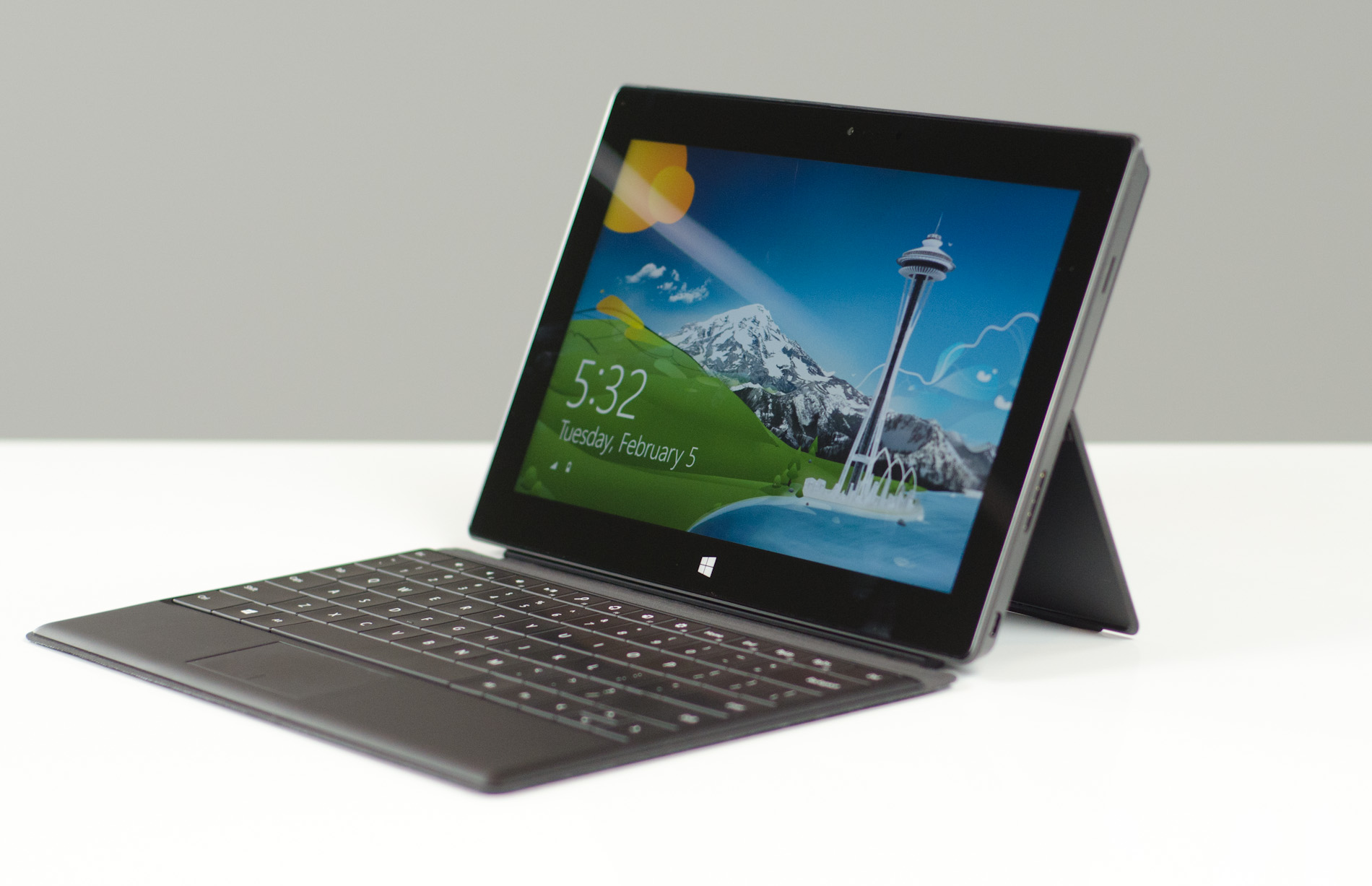
     The Microsoft Surface is a very unique being that was launched a few weeks back and it took the entire tech world by storm. There were many questions left answered and unanswered and everyone had mixed views when leaving MILK studios. The Surface has two variants: 1 Surface RT which is launched at the same time as Windows 8. Most likely we will see the Surface and Windows 8 at some kind of event with Windows Phone 8 and probably have some other ground breaking news like Windows 8 will launch with 100,000 apps (for WP8 and Windows 8/RT). 2 Is the Surface Pro which will be launched three months after the Windows 8 launch with (speculating) the new Xbox 720/8 machine. The Surface machines have their own dedicated website surface.com with some specs and a gallery of photos. So far we have only seen two "accessories" that look like they will come with the devices depending on which one you buy. The Surface RT looks like it will get the touch cover that comes in five different colors that works like a big tablet with a slightly raised surface that the keys you touch with no tactile feedback. Then the Surface Pro looks to come with their innovative type cover that is a little thicker and comes with keys that provide a tactile feedback and only in black. Also the Surface Pro will come with a Wacom active digitizer that looks buttery smooth in action. So if you really want the full Windows 8/7 side with an intel core i5 processor and unknown amount of RAM the Windows 8 Pro running Surface Pro is really the best out there. There is no flex from the magnesium made casing and they are both super slim considering they both sport USB ports. Also the MagSafe connector can (as per a patent) not only charge the device but transfer files. The Surface is a halo device. 

     The Surface is made to force other OEMs to make better devices than what is currently out there to beat Apple at their own game. The Surface is the epitome of quality and beauty in a slim and functional shell. The surface is very impressive and the specs are very good. The one thing is price. Everyone has their own quote and since it is a premium product it will be at a premium price. I think the RT version will go for $499 for the 32GB version to try and undercut the Ipad. The RT 64GB will roll at $599. The Pro 64GB will be $699 also beating the Ipad competition and the 128GB model will go for $799. The touch covers will come with the RT versions and the type cover will come with the Pro models. Of course this is all speculation, but isn't that what everyone else is doing?


Wednesday, June 27, 2012

Google Play credit card??


      The Nexus tablet is a now widely known Google Play certified device but ships with a full HD movie and a mysterious $25 app credit. This could be a good way of setting the stage for parents who could let their kids and teens a prepaid amount to buy apps, movies, books, tv series, and magazines without worrying about their credit cards. Why I point this out is because this is extremely similar to the Windows Phone $25 pre-paid app card you got for buying a new Windows Phone.
Google+